Easy Image Modifier Plus
Smart tool that offers many features for batch modifying and organizing images.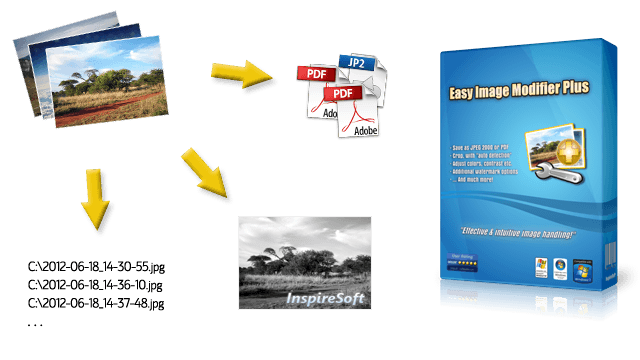
effective & intuitive batch image processing!
Introduction
Easy Image Modifier Plus is a smart tool that offers many features for batch modifying and organizing images: Reduce filesize, rename after date, change resolution, add watermark, sort, auto-crop, adjust colors and much more.
Beside the basic editing it also supports additional watermark options, the use of image information like date or resolution for renaming etc., saving as JPEG 2000 or multi-page PDF and managing settings as presets. Furthermore the program is easy-to-understand and portable.
In the following we will go further into detail and explain what makes Easy Image Modifier Plus special. ✨
Features
Adjust Colors & Auto-Crop Images
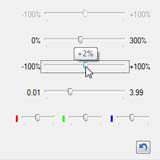
Adjust the colors (+/- 0–100% for red, green and blue), brightness (+/- 0–100%), contrast (+/- 0–100%), saturation (0–300%) and gamma (0.01–3.99) of your images.
Also cropping (at left, right, top and/or bottom side) by fixed values or automatically is
possible. The special automatic detection
mode removes image borders of the same color automatically.
With these features you can easily perform batch corrections of the color and remove e.g. unneeded black borders on your images!
Rename, Filter, Sort by Date, Brightness Etc.
Every image has certain information which make it different from the others. Namely the filename, filesize, width, height, resolution, count of colors, brightness and date (second, minute, hour, day, month, year).
With Easy Image Modifier Plus you can use this information for renaming, filtering, sorting, the watermark text and when setting up the destination path.
Classifying images by date or resolution, sorting them after their brightness or renaming them after width and height is really just a matter of a few mouse-clicks with this unique feature!
Professional Watermark Options
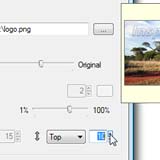
Use multi-line texts or a selected watermark graphic file as your image watermark. You can fine-tune the position, add an outline, set the opacity and optionally use all possible placeholders (date, size, resolution and more).
No matter if it's a just simple copyright note or complex image information such as the date it was taken on and/or its width, height etc. Use these great features to create professional watermarks as you need!
Save Images as JPEG 2000 or Multi-Page PDF
Load and save images in the JPEG 2000 format. It's a highly improved successor of the very popular JPG format and has the most efficient compression ratio.
Moreover it's possible to save images in the widely recognized PDF format. Even multi-page PDF files can be created with ease.
This allows you to efficiently reduce the filesize of your images or to e.g. send them via email to your colleagues, government authorities and friends without much hassle!
Set Color Depth, Keep File Date Etc.
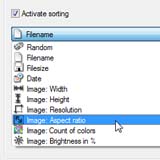
You can do and configure even more with Easy Image Modifier Plus, for example:
Use exact capturing date; move images to destination; keep filtered, processed and/or original images loaded; correct file date; set color depth; add file comment; reset file attributes; filter images after detailed conditions; adopt complete folder structure; sort after aspect ratio; allow video files to be loaded.
You can use the many additional settings and options to adjust nearly everything exactly as you need!
…Plus No-Nonsense, Locales, Presets
Additionally Easy Image Modifier Plus comes with all basic features of the regular version:
Buy Now …It's Easy & Secure!
Further Questions?
Use the free Trial Version to try out all features without restrictions. If you want to read everything up in more detail, consult the Feature List .
You can find more information regarding the app and the ordering process in our support area. And as always just contact us if you need help or have any questions.